SocialMagick works in a generally invisible way, creating OpenGraph images and setting up OpenGraph data for your site's pages. But how do you know that the data it creates and the images it creates is what you were aiming for? Normally, that would require viewing the page's source to inspect the meta tags in the HTML head. If you want to see the OpenGraph image you have to find the OpenGraph image tag, get the image URL from it, and open it in another browser tab. That's a lot of work.
Instead, you can enabled the Frontend Preview option in the component's page.
Tip
You can also limit which user groups can see this button. You may want, for example, to only allow Manager, Administrator, and Super User accounts to see this button in the frontend as it makes no sense for regular users to see it. Or, you may have a development or staging site where you want to enable this button for everyone, even guests, because you're working on a site which does not allow frontend user login. It's up to you!
This shows a button towards the bottom right of the screen for every page on your site. It looks like this:

Clicking on this button opens up the OpenGraph Preview modal window, which looks like this:
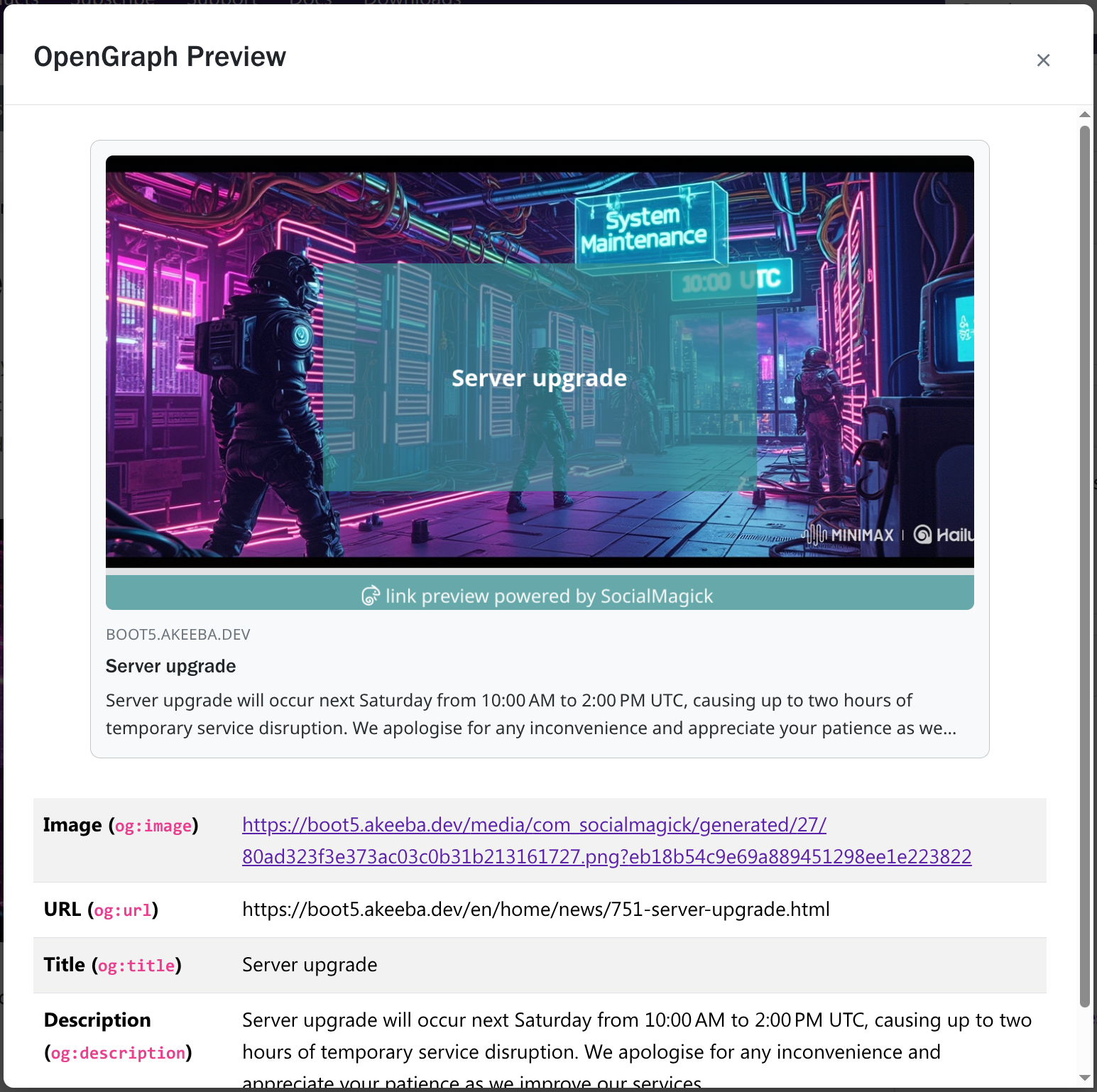
The top half of the modal window shows you how third parties will display a link to this page of your site including the OpenGraph image (if any), the domain name, the OpenGraph title, and the OpenGraph description. The template used is very similar to how Facebook displays links. Other sites and applications may use a slightly different arrangement of the same elements.
The bottom half of the modal window shows you the individual OpenGraph properties on the page:
Image. A link to the OpenGraph image. Click on it to open the image in a new tab.
URL. The URL to your page. This is the URL reported by Joomla and should be the URL you see in your browser in most cases. Please note that the URL will never include the page fragment (
#something), as this information is not communicated by the browser to the server,Title. The OpenGraph title. It could be the same as the Joomla browser title (default), the content item title, or custom text you have entered depending on what kind of content you are displaying, the availability of an integration plugin for it, and your preferences.
Description. It could be the same as the Joomla meta description for the menu item, the content's meta description, or custom text you have entered depending on what kind of content you are displaying, the availability of an integration plugin for it, and your preferences.