 |
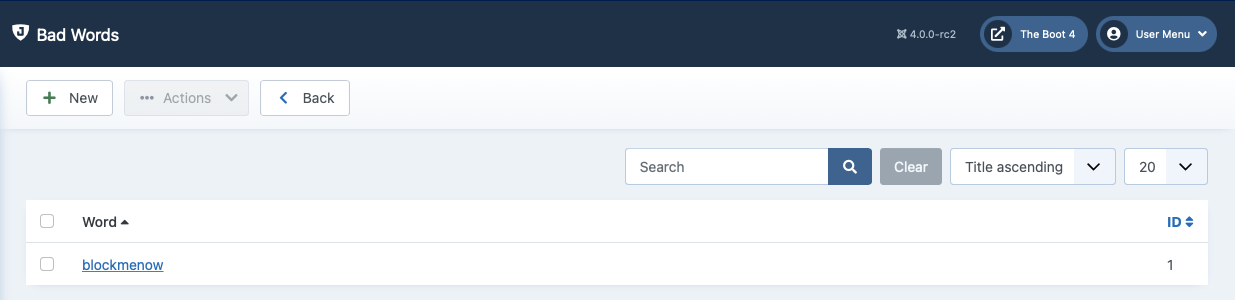
This page allows you to manage the list of Bad Words. Their use will be forbidden on the site. If a query contains one of those words, it will result in a 403 error and it will optionally be logged in your Blocked Requests Log. You can use the standard Joomla! toolbar buttons to administer the list. All words are case insensitive, which means that they will be filtered no matter if they appear in lowercase, uppercase or mixed case in the request.
Note
Some servers already include a server-side filter to avoid common spam words. If you receive an error —usually a 403 error or an error noting that you have an invalid request— while trying to save a word, do not panic. It's your server's filter kicking in. Just omit including the word you just tried to include, as it is already filtered very effectively by your server!
The Word field is not a plain string. It is a regular expression fragment. Admin Tools takes what you typed and builds the following PCRE expression out of it:
#\b<WHAT YOU TYPED>\b#iu
This expression is matched against every GET and POST request variable of every public frontend request. Reading it from the outside in:
The
#characters at either end are the delimiters of the expression. They mark where the expression starts and where it ends.The two
\bare word boundaries. They are the reason a Bad Word oftestblocksthis is a testbut does not blockthis is nontest. A word boundary only exists between a “word” character (letter, number or underscore) and a non-word character, which also means that an entry which starts or ends with punctuation — say(evil)— will typically never match.The
imodifier makes matching case-insensitive, which is whytest,TESTandTesTare all the same word. Theumodifier makes both your entry and the request data be treated as UTF-8.
Everything between the two \b is your entry, interpreted as a regular expression. This is a feature: it lets you block, say, v[i1]agra — which blocks both spellings of that word in one entry — or (?:free|cheap)\s+pills.
Warning
If what you enter contains anything other than letters, numbers, dashes and underscores it probably needs to be escaped. Regular expressions give special meaning to a large number of punctuation characters. A . matches any character, so a Bad Word of a.c also blocks the innocuous abc. A * means “zero or more of the preceding character”, so a Bad Word of a*b also blocks a bare b. A # is the delimiter of the expression itself.
This is exactly what the Escape Regular Expression option in the Bad Word edit page is for. When it is set to Yes, Admin Tools escapes every special character in what you typed as the record is saved, so that your entry matches itself, literally, and nothing else. Only set it to No if you know how to write regular expressions and you are deliberately writing one.
The option defaults to Yes when you add a new Bad Word, and to No when you edit an existing one.
Important
When editing an existing Bad Word, do NOT set Escape Regular Expression to Yes if that word was already escaped when it was added. Escaping an already escaped expression double-escapes it, producing a broken expression which matches nothing at all — your Bad Word will silently stop blocking anything. This is why the option starts off as No whenever you edit an existing record.
Note
Words added from the command line with admintools:badwords:add are stored exactly as you typed them, i.e. as if Escape Regular Expression had been set to No.